
HANDS-ON DESIGN AND ANALYSIS WITH SPICE & EXCEL
Circuits and Applications
Design, test and modify circuits using the SPICE simulator: Op amps, filters, sensors, switch-mode power supplies, PID controllers, audio amplifiers, etc. Explore circuits on your own or use the tutorials to get you started. Go to collection...
Easy SPICE Starter!
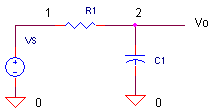
Looking for a fun way to build your intuitive and theoretical understanding of analog circuits? Run a sim, then change a component - can you predict the change in behavior?
Try it!
RC Low-Pass Filter
What is SPICE?
Simulate circuits on your PC. View voltage and current waveforms, frequency responses or bias points. Then change values, add components. SPICE is a great tool - you can learn a lot in a short time! More...
Where can I get SPICE?
Free SPICE downloads. More...
How do I run SPICE?
Simply download a SPICE circuit file from this site and simulate it with one of several free SPICE simulators available. More...
The Power of Analog Behavioral Modeling. ExploreOp Amp Builder - Generate Custom SPICE Netlists. Level1, Level2
What's inside an Op Amp Macro-Model? Learn more
Excel for electronic design and analysis. Try It!
Explore powerful VBA examples!JavaScript design calculators, try on, create your own! Code examples
BOOST YOUR ANALOG SKILLS!
New Design Series!
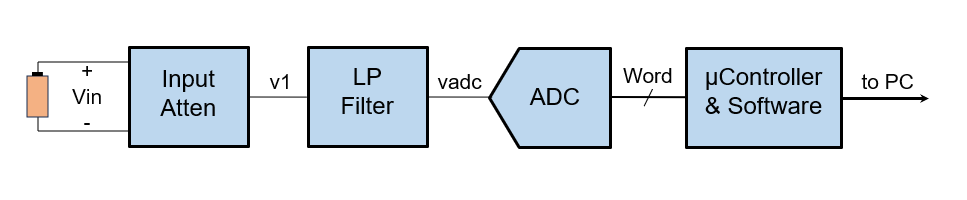
Digital Voltmeter - Walk through a design with 5 Key Phases. Prototype it with an Arduino UNO! Learn more...
Error Budget Analysis
How does each error source impact your overall accuracy?
Learn this analog powertool
New Topic! - Amplifier Noise Analysis - Step by Step!
Op Amp Series
Solve 10 Op Amp Design Issues w/ Custom SPICE Models.
Hands-on design
Feedback Welcome!
What do you find helpful, suggestions?
Feedback form.
DESIGN TOPICS
FEATURED CIRCUIT
Tune a PID Controller.
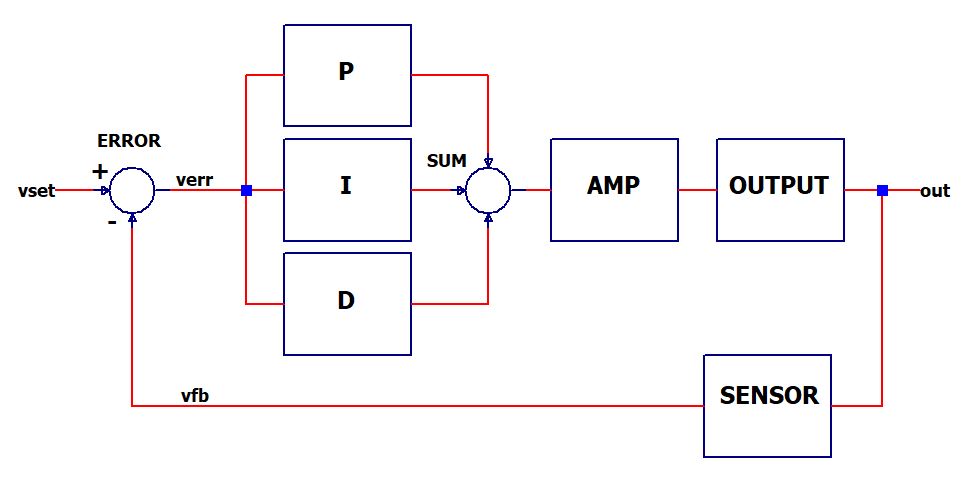
Circuits
How a Guitar Distortion Box works
Design an active low-pass filter.
Simulate the 555 timer.
SPICE Models
Simulate an NTC thermistor.
See inside a basic op amp model.
Create basic digital logic gates.
EXCEL / BASIC (VBA)
Explore electronics using BASIC programming.
Explore the operation of an ADC.
Create waveforms with the Fourier Series
Check out all the topics.
Give me a fruitful error any time, full of seeds, bursting with its own corrections.
Vilfredo Pareto